VAPIX Commander
VAPIX Commander sends VAPIX requests to your devices. Pick ready-made commands from the library, fill in their fields and roll them out to any number of devices. Or send one request to one device and look at the answer.
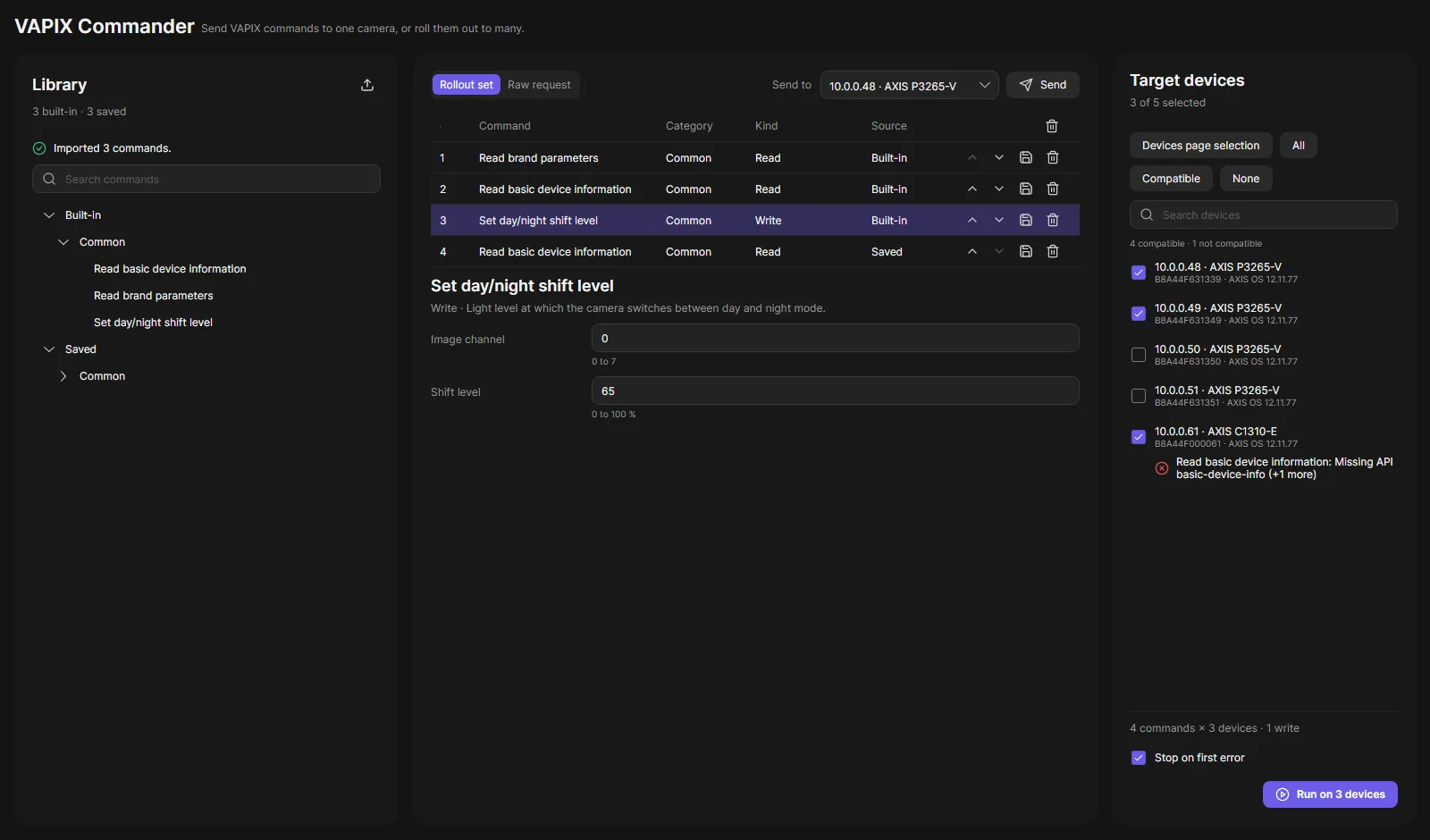
The page has three cards:
- Library: the built-in commands and your saved commands, grouped by category.
- Rollout set / Raw request: the commands to run, or one request you write yourself.
- Target devices: the devices to run on, with a compatibility check per device.
Roll out commands
Section titled “Roll out commands”- Open VAPIX Commander in the navigation rail.
- In the Library, click a command to add it to the rollout set. Add as many as you need.
- Select a row in the rollout set and fill in its fields. Errors show below the field while you type.
- In Target devices, check the devices. Devices page selection takes the devices you selected on the Devices page; Compatible checks only the devices that support all commands.
- Leave Stop on first error on if the rollout should stop after the first failure.
- Click Run on N devices and confirm. Commands that change a device are listed in the confirmation. Dangerous commands need a second confirmation.
Each device becomes one task in the Tasks pane below the page. Each command is one step with its result, for example “Product: P3265-V”. A command the device does not support fails with “Nothing was sent”.
Send one request
Section titled “Send one request”- Switch to Raw request, or select a command in the library.
- Choose the device in Send to.
- Click Send.
The result shows the status, the time it took, the interpreted result, the request line, the answer and its headers. JSON and XML answers are shown formatted; Raw shows the exact text the device sent.
Save as command keeps a raw request as your own command. Saved commands are stored on the server and shared by all clients. You can export them as a file and import them on another server.
Good to know
Section titled “Good to know”- Requests always go to the device’s own address. Paths that point to another host are refused.
- Passwords in command fields are stored encrypted, never shown again and never exported. They show as
***in request lines. - The compatibility check uses the device information OADM already has. Before a command changes a device, the server checks again with fresh data.
- Commands that send and rollouts are written to the audit log.