Users and roles
Everyone logs in to the server with their own user. Two roles:
| Operator | Administrator | |
|---|---|---|
| Add, remove, refresh devices, log in to devices | Yes | Yes |
| Run, cancel and delete tasks | Yes | Yes |
| Live view, Snapshot report, VAPIX Commander, Metadata Monitor, System report, Hardening scan | Yes | Yes |
| Tag devices, create tags | Yes | Yes |
| Rename, recolor, delete tags | Yes | |
| Settings, Credentials, Users, Delete all tasks | Yes | |
| PKI certificate authority and settings, NTP and DHCP server settings | Yes |
Users page
Section titled “Users page”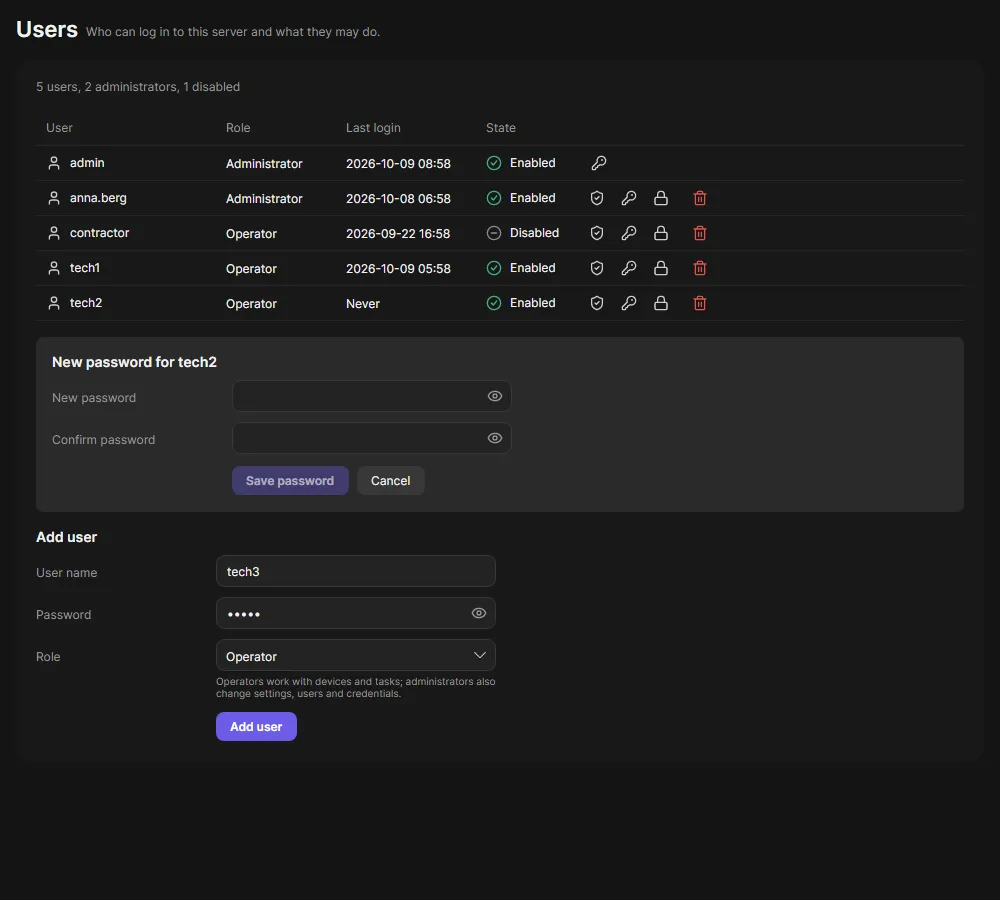
Add users, change their role, reset a password, disable or delete them. You cannot delete or disable yourself or the last administrator.
Five wrong passwords in five minutes lock a user for five minutes.
Credentials page
Section titled “Credentials page”
The passwords OADM tries when it adds devices, in the order added, at most 20. Administrators can show or copy a stored password; every reveal is in the audit log.
Audit log
Section titled “Audit log”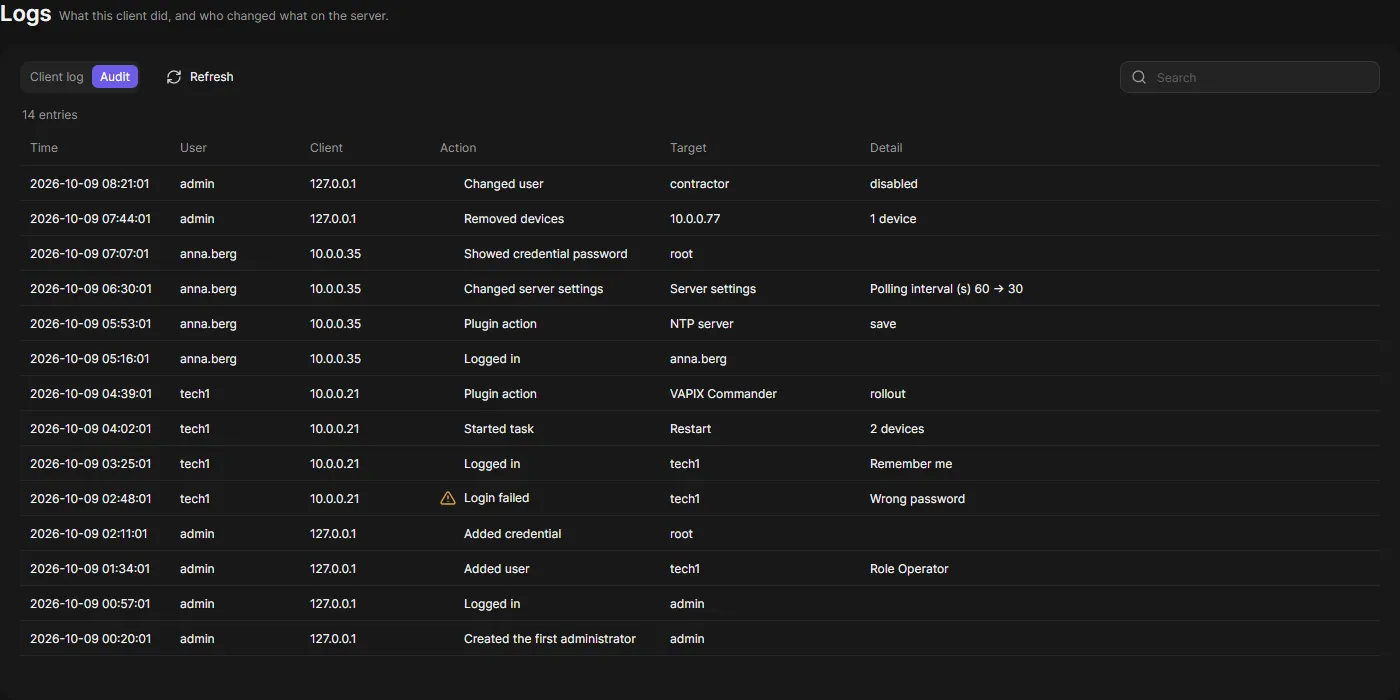
Logs > Audit (administrators) lists who did what: logins, user and settings changes, credential reveals, task runs, removed devices, PKI and server changes. Entries are kept 365 days.