Tasks
Every action on a device runs as a task. Running it on 20 devices creates 20 tasks, so one failing device never marks the others as failed.
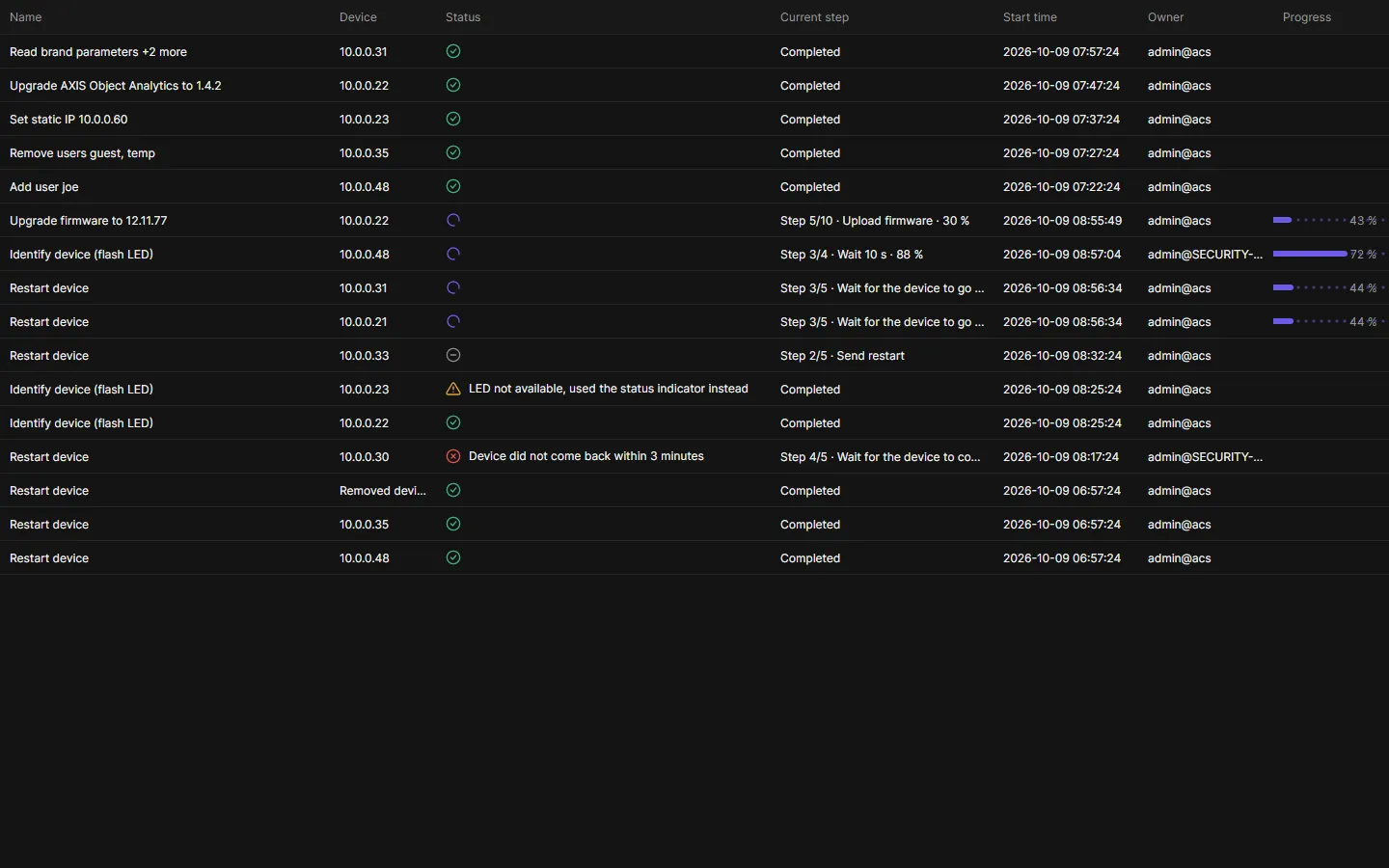
Tasks pane
Section titled “Tasks pane”Below the device list. Drag the divider to resize it, or collapse it.
| Column | Shows |
|---|---|
| Name | What the task does, for example “Upgrade firmware to 12.11.77” or “Add user joe”. |
| Device | The device’s address. |
| Status | Icon (queued, running, done, done with warnings, failed, cancelled) and the message. |
| Current step | “Step 3/6 · Upload firmware · 45 %” while it runs, “Completed” at the end. |
| Start time, Owner, Progress | Owner is the user and computer that started it. |
Buttons: Details, Cancel, Delete and Delete all (administrators; running tasks are cancelled first).
Details
Section titled “Details”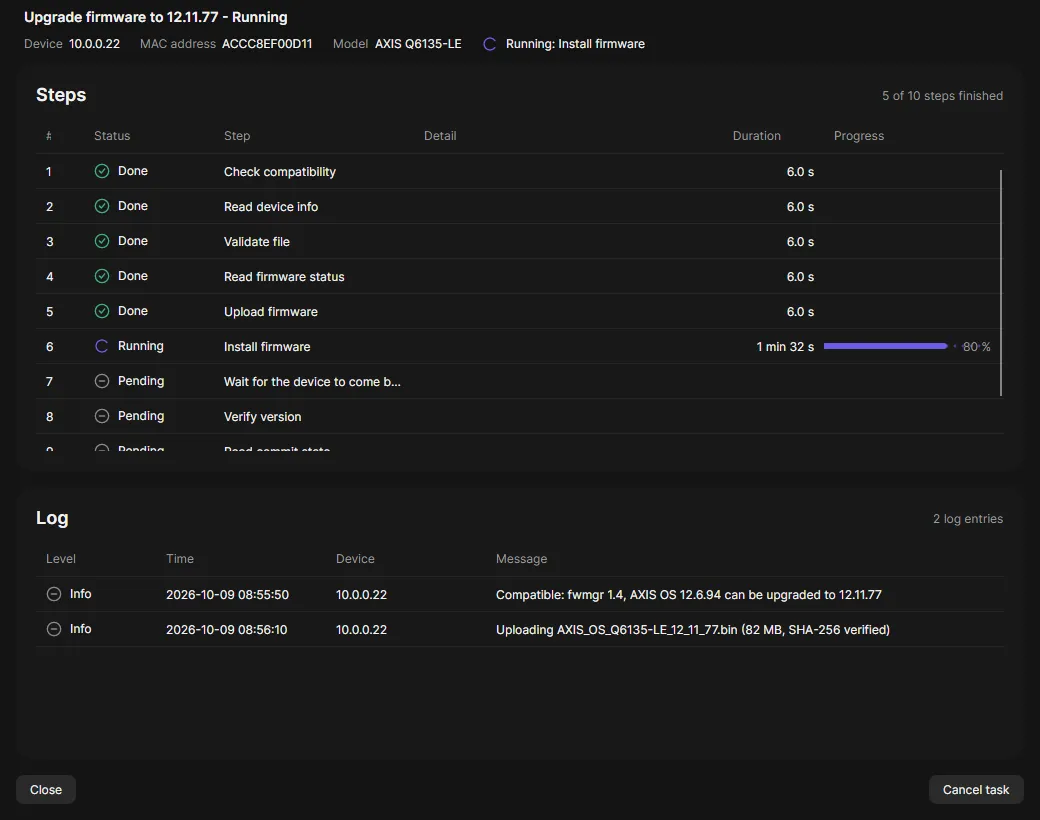
Details shows every step with its result and duration, and the task log. It updates live while the task runs.
Good to know
Section titled “Good to know”- Up to 16 devices per task run at the same time; more wait as Queued. Change it in Settings.
- Finished tasks are kept 90 days, at most 50,000.
- A task that changes a device checks first that the device supports it. If not, it fails with “Nothing was changed”.