PKI
The PKI page runs one certificate authority (CA) on the OADM server. OADM uses it to issue certificates for HTTPS and IEEE 802.1X on your devices. Devices with a certificate from this CA show Trusted in the device list without any change to the operating system.
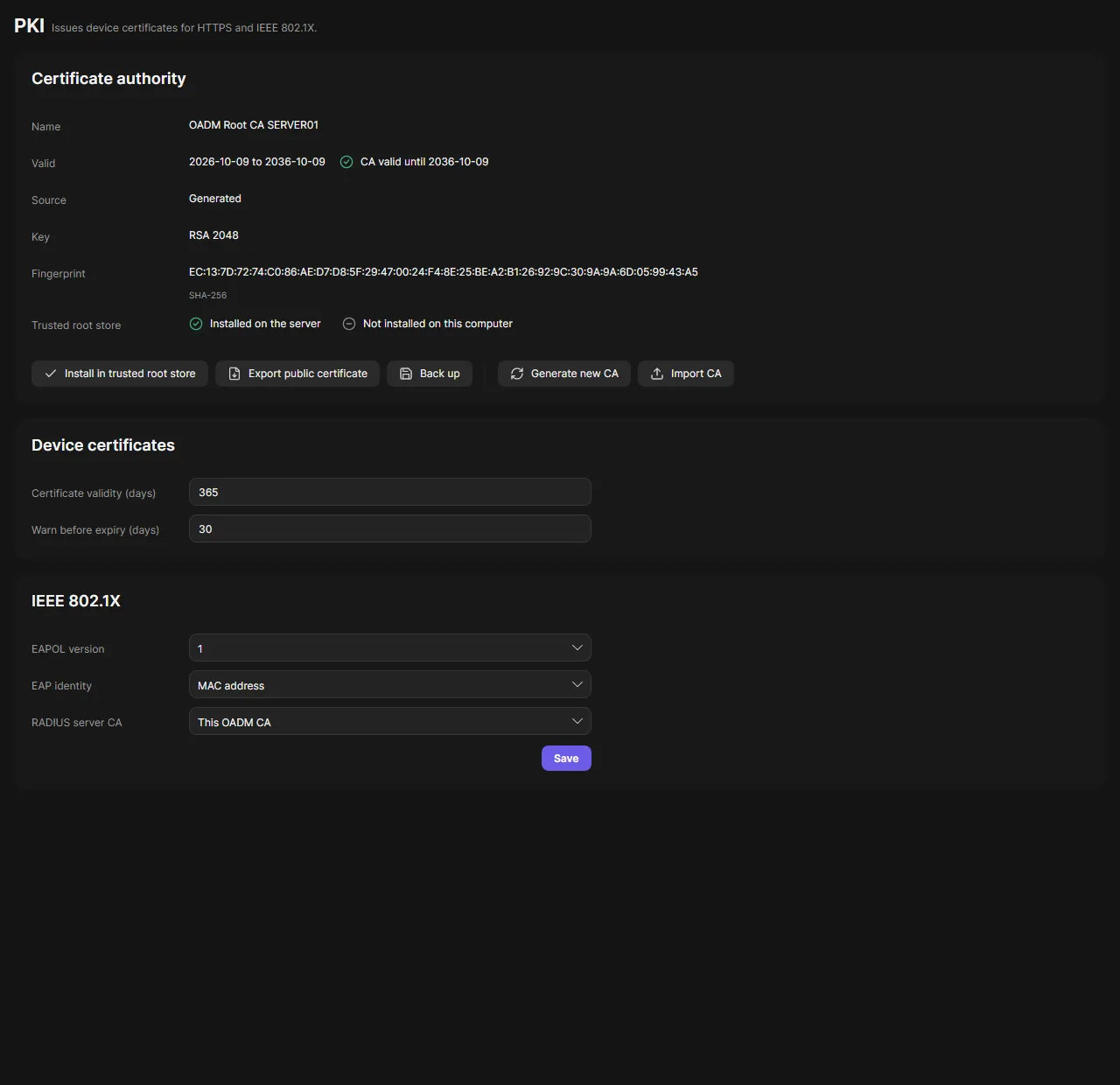
The certificate authority
Section titled “The certificate authority”On the first start OADM creates a CA named “OADM Root CA” plus the server’s name, valid for 10 years. The header shows how long it is valid and warns when it expires soon.
The Certificate authority card shows the name, validity, key, fingerprint and source (Generated or Imported), and whether the CA is in the trusted root store of the server and of this computer.
- Install in trusted root store adds the CA to the operating system of the server or of this computer, so browsers and other programs trust your devices.
- Export public certificate saves the CA certificate as PEM or DER.
- Back up saves the CA with its key as a password-protected file (at least 8 characters).
- Generate new CA creates a new CA (1 to 30 years).
- Import CA uses your own CA: a PKCS#12 file with its password, or a PEM certificate with its key.
Replace the CA
Section titled “Replace the CA”- Click Generate new CA or Import CA.
- Fill in the dialog. Errors show below the fields.
- Confirm. OADM tells you how many devices have certificates from the current CA. They keep working until they are renewed.
The old CA moves to Previous certificate authorities. Devices with its certificates stay trusted. You can export or remove a previous CA there.
Settings
Section titled “Settings”- Device certificates: how many days a device certificate is valid (default 365) and how many days before expiry OADM warns (default 30).
- IEEE 802.1X: the EAPOL version, the EAP identity (MAC address, host name or a custom text) and the CA of your RADIUS server (the OADM CA or one you import).
Click Save at the end of the IEEE 802.1X card to store both cards.
Use the certificates on devices
Section titled “Use the certificates on devices”Right-click devices on the Devices page and open the Security group: Enable HTTPS, Disable HTTPS, Enable IEEE 802.1X, Disable IEEE 802.1X, Renew certificates, View certificates, Delete certificates, Install certificates and Install CA certificates. These need AXIS OS 11.11 or later. Each runs as a task with its steps; see Tasks.
Good to know
Section titled “Good to know”- Everything on the PKI page except viewing it needs an administrator. Operators can run the Security tasks on devices.
- Before the CA is installed in the server’s trusted root store, OADM shows its fingerprint to confirm. Every PKI action is written to the audit log.
- Installing the CA on this computer may ask for administrator rights of the operating system.