Settings
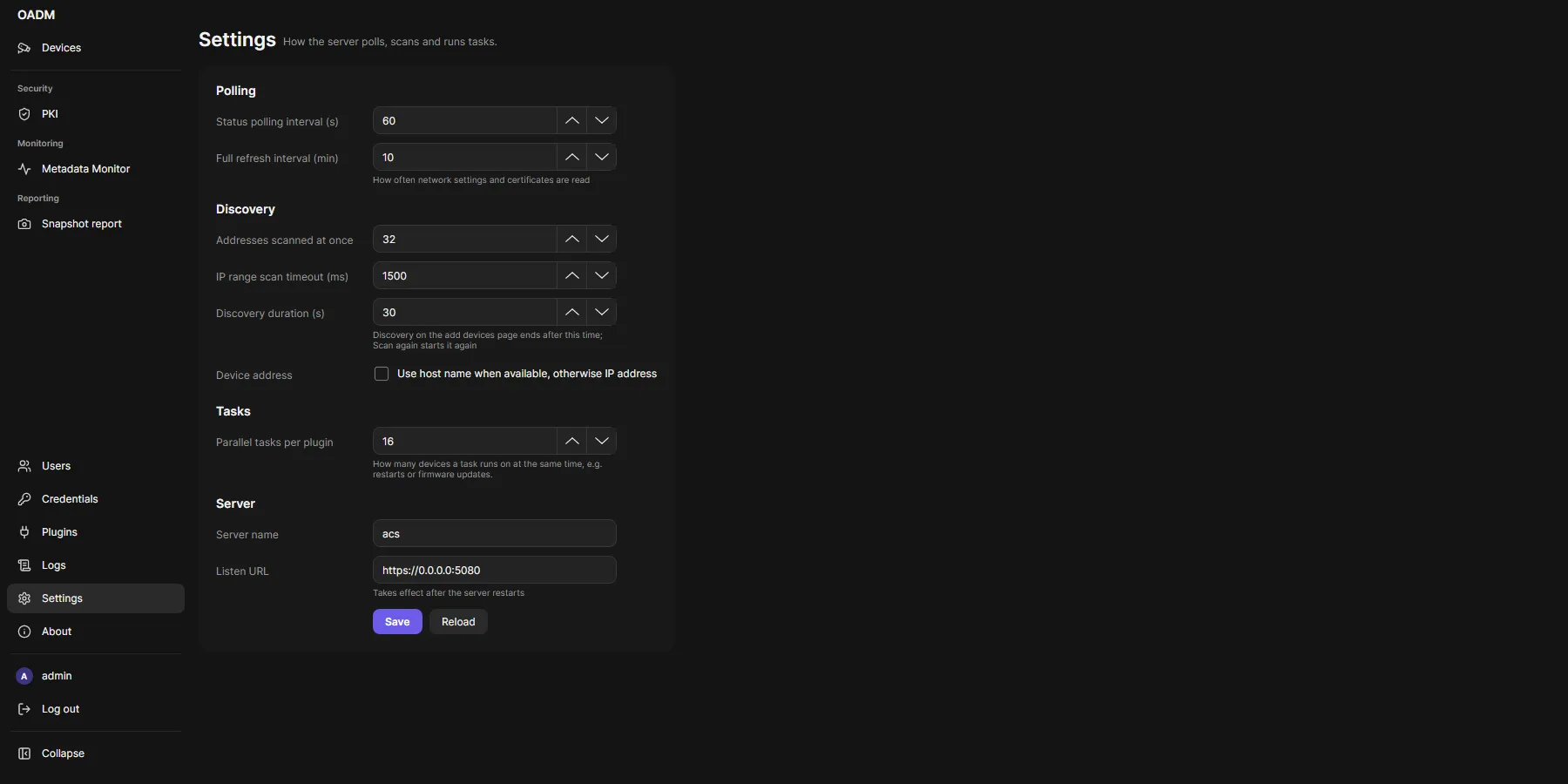
Administrators change the settings; operators see them. They apply to every client of the server.
| Setting | Default | What it does |
|---|---|---|
| Status polling interval (s) | 60 | How often OADM checks that every device answers. |
| Full refresh interval (min) | 10 | How often OADM reads network settings and certificates of every device. |
| Addresses scanned at once | 32 | Speed of Network range. |
| IP range scan timeout (ms) | 1500 | How long Network range waits for each address. |
| Discovery duration (s) | 30 | How long Discovery on the add page searches (5 to 300). |
| Use host name when available, otherwise IP address | Off | Add devices by host name instead of IP address. |
| Parallel tasks per plugin | 16 | How many devices a task runs on at the same time, for example restarts or firmware updates. Takes effect at once. |
| Server name | Computer name | Shown in the login window. |
| Listen URL | https://0.0.0.0:5080 |
Address and port of the server. Takes effect after the server restarts. |
On this computer
Section titled “On this computer”Each client also keeps its own settings on the computer: the servers you used, the device list columns, group by tag and the size of the tasks pane.